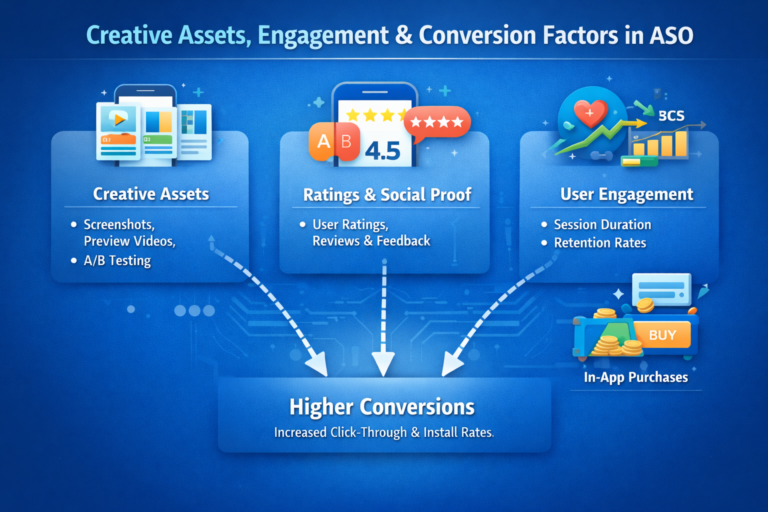


App Store Optimization Tips for Conversions
Learn how to turn app store visitors into loyal users with CRO in ASO. Use App Optimax for A/B testing, visuals, and localization to boost installs and growth.
Introduction: Visibility Brings Visitors, Optimization Converts Them
Getting discovered in app stores is only half the battle — converting visitors into installs is where true growth happens.
Once a user lands on your store page, your visuals, copy, and design decide whether they hit “Install” or move on to a competitor.
That’s where Conversion Rate Optimization (CRO) for ASO comes in.
CRO isn’t about just making things look good — it’s about understanding user psychology, improving your listing step by step, and using data-driven insights to boost conversions and maximize installs.
1. What Is Conversion Rate Optimization (CRO) in ASO?
Conversion Rate Optimization in App Store Optimization (ASO) means improving your app listing to increase the percentage of users who install your app after visiting your page.
Example:
If 1,000 users visit your app page and 150 install, your conversion rate is 15%.
CRO focuses on understanding why users install or don’t — then uses those insights to make changes that drive more installs.
2. Why Conversion Rate Matters So Much
A higher conversion rate enhances every part of your ASO and ad performance:
- Lower acquisition cost — Spend less on ads for the same installs.
- Better rankings — Google Play and App Store reward high-converting apps.
- More efficient ads — Higher conversion means better ad ROI.
- Increased trust — Users trust listings with strong visuals and clear messaging.
In short: Visibility gets you seen. Conversion gets you installed.
3. The ASO Conversion Framework
CRO in ASO typically follows a 4-phase optimization loop:
| Phase | Objective | Example Task |
|---|---|---|
| Research | Identify user decision triggers | Analyze reviews, competitor pages |
| Hypothesis | Form improvement ideas | “What if we test a brighter icon?” |
| Testing | Run A/B experiments | Test new screenshots or titles |
| Learn & Repeat | Apply insights and iterate | Keep what performs best |
Pro Tip: Even small visual changes — like a new icon background — can increase conversions by 10–20%.
4. Optimize Your Visual Assets
Visuals are your first impression — make them count.
a) App Icon
Your icon is your app’s logo. Keep it bold, clean, and recognizable.
Tips:
- Use one clear symbol or letter.
- Avoid clutter and heavy gradients.
- Test different color backgrounds (blue and red often perform best).
Example: When Evernote simplified its elephant logo, installs rose by 11%.
b) Screenshots
Tell your app’s story visually.
Best Practices:
- Add short captions like “Track Progress” or “Chat Securely.”
- Highlight key features in the first three screenshots.
- Maintain consistent brand colors.
- Use clear, real UI visuals.
Visual layout idea: “Before → After → Feature Highlight”.
c) App Preview Video (Optional)
For complex apps like games or productivity tools, a short demo video can increase installs.
Keep it:
- 20–30 seconds max.
- Focused on experience, not narration.
- Attention-grabbing in the first 5 seconds.
Pro Tip: Use on-screen text — most users watch videos without sound.
5. Write Copy That Converts
Words persuade. Effective copywriting builds trust and emotional pull.
| Element | Purpose | Example |
|---|---|---|
| Title | Include brand + keyword | PhotoGenie: AI Photo Editor |
| Subtitle | Add a key benefit | Edit photos instantly with AI filters |
| Long Description | Tell your story | Join 1M+ users creating stunning AI-edited photos… |
Tips:
- Lead with your app’s core benefit.
- Use short paragraphs or bullet points for readability.
- End with a strong call-to-action (“Download now and start!”).
6. The Power of A/B Testing
A/B testing (split testing) compares two versions of your store listing to see which performs better.
Both Google Play Experiments and App Store Custom Pages support A/B testing.
You can test:
- App icon designs
- Screenshot order
- Description copy
- Preview videos
- Titles and subtitles
Example:
A mobile game tested red vs. blue icons — red increased installs by 15% in one week.
Pro Tip: Change one element at a time to identify what drives improvement.
7. Localization — Convert Global Audiences
Localized metadata and visuals can increase installs by 20–40% in non-English markets.
Example:
Translating a weather app to Spanish increased installs by 35% in Mexico and Argentina.
App Optimax Tip:
Use App Optimax’s localization insights to identify high-potential countries and automate translations for your store listings.
Key Takeaways
- CRO turns app visibility into real growth.
- Visuals (icon, screenshots, video) impact installs the most.
- Benefit-driven copy builds trust and conversions.
- Continuous A/B testing ensures consistent improvement.
- Localization unlocks new global markets.